
TL;DR
Construction expense management in 2026 comes down to three things: buying leverage, spend controls, and job-cost discipline enforced daily in the field. The fastest hard-dollar lever is joining a contractor buying group or GPO, where members typically pay about 13% less on supplies before rebates even kick in. After that, the right mix of corporate cards, fleet controls, PO-first workflows, and an expense platform that actually integrates with your ERP (Sage 300 CRE, Intacct, Procore) will close the gaps where margin quietly disappears. This guide ranks 15 specific moves, tools, and controls with real pricing, integration details, and practitioner feedback.
Key Takeaway: What is the best way to manage construction expenses in 2026? Effective construction expense management requires a three-layered approach:
Procurement Leverage: Use GPOs (Group Purchasing Organizations) to reduce material costs by an average of 13%.
Automated Field Capture: Implement mobile OCR tools that mandate job-cost coding at the point of purchase to eliminate “receipt lag.”
Integrated AP Workflows: Utilize platforms that sync daily with ERPs like Sage or Procore to track Committed vs. Actual costs in real-time. Pro Tip: In 2026, prioritize platforms that offer flat-fee ACH to avoid the rising $0.59 per-transaction industry standard.
Construction Expense Management: 15 Moves That Actually Save Money in 2026
Construction companies don’t usually bleed money from a single catastrophic decision. They bleed from a thousand small ones: fuel cards without PIN controls, receipts stuffed in truck consoles, material orders placed by phone with no PO trail, and monthly “cost code cleanup” sessions that amount to educated guessing.
The economics shifted again in 2026. ACH fees are creeping into platforms that used to offer free bill pay. Materials prices remain volatile. And the expectation from owners and lenders for real-time cost visibility keeps climbing, as Autodesk’s cost management research makes clear.
Good construction expense management isn’t about picking one magic app. It’s about stacking the right controls, buying leverage, and daily habits so every dollar gets coded, tracked, and optimized before it’s too late to act on the data.
Here are 15 moves that work, ranked by how quickly they put money back in your pocket.
At-a-Glance Comparison Table
Move / Tool | Price Model | Best For | Key Differentiator | Notable Limitation | User Sentiment |
|---|---|---|---|---|---|
GPO/Buying Group (CNBA) | Supplier-funded; low/no dues | Any contractor wanting immediate hard-dollar savings | 10-13% supply cost savings + rebates | Must channel spend to preferred vendors | Members report measurable rebate totals annually |
Ramp | No card fee; $0.59/ACH (free tier, 2026) | Firms wanting integrated card + AP | Card controls + AI categorization | $25k minimum cash balance; new ACH fees | Mixed on fees; positive on vendor comms |
SAP Concur | $8-$25/user/month | Enterprises with travel + expense needs | Travel booking integration | Legacy UX; admin complexity | “Better than Excel, but UI pain” |
Expensify | ~$5/user/mo (Collect) | SMBs needing low entry price | Mobile OCR + simple policies | Rapid product changes; migration risk | Users leaving after UI overhauls |
Emburse | $3k/year flat or per-user | Mid-market modularity (Spend vs. Professional) | Per-diem config; real-time expense | Integration complexity in some setups | Mixed-to-positive on analytics |
Sage Expense Management | Usage-based (active users) | Contractors on Sage 300 CRE/Intacct | Native Sage integration by job/cost code | Laggy app/OCR after some updates | Positive among Sage-stack accountants |
Fleet/Fuel Cards (WEX) | Program/volume-dependent | Multi-vehicle fleets | PIN + gallon caps + time windows | Admin burden without automation | “PINs and gallon caps are non-negotiable” |
Materials Procurement (Kojo) | Custom pricing | Subs with heavy materials flow | Digitized takeoff-to-PO-to-receiving | Change management required | Saves ~7 weeks/year in purchasing |
Procore Direct Cost | Quote-based | Firms standardizing ops + financials | Real-time labor/materials costing | Expensive for smaller subs | “Cost/drawings are strong; other modules heavy” |
AP Automation (BILL, Melio) | Subscription + ~$0.59/ACH | High invoice volume firms | OCR capture + approval routing | Not job-cost-aware without integrations | Compare TCO against bank bill pay |
The 15 Moves
1. Join a Contractor Buying Group or GPO
Best for: Any contractor wanting the fastest path to lower material, fuel, MRO, and rental costs this quarter.
The single quickest way to improve construction expense management isn’t a software purchase. It’s buying leverage. When individual contractors negotiate alone, they get whatever pricing their volume supports. When they pool purchasing power through a group purchasing organization, they access tier-1 national-account pricing that would otherwise require ten times their revenue.
How it works:
Members collectively aggregate volume across categories (fuel, PPE/MRO, equipment rentals, office/tech supplies)
Suppliers fund the program through negotiated discounts and annual rebate structures
Procurement cycle times compress dramatically, from an average of 13.2 days down to 4.7 days under cooperative contracts source
Pricing: Typically supplier-funded with low or no membership dues. Members pay roughly 13% less on average for supplies, and that figure doesn’t include annual rebate checks source.
Key categories where GPO savings hit hardest:
Fuel and fleet programs
PPE and safety equipment
Equipment rentals
Office and tech overhead
Tradeoffs:
Requires channeling a meaningful portion of spend to preferred vendors to maximize tier pricing and rebates
Not every local vendor will be on the program
Pay-on-time culture is expected (which also improves vendor priority and service)
User perspective: CNBA members have reported measurable rebate totals at annual meetings, and contractors who commit spend to the program consistently see hard-dollar returns within the first quarter. The GPO savings guide breaks down how rebate tiers actually work.
This is the foundation. Every other move on this list controls or tracks expenses. This one actually lowers the price you pay in the first place.
2. Ramp (Corporate Card + Expense + Bill Pay)
Best for: Firms wanting an all-in-one card, expense, and AP stack with granular spend controls.
Pricing: No annual card fee. But as of June 1, 2026, community reports indicate ACH bill-pay fees of $0.59 per transaction on the free tier. These fees can be waived if paying from a Ramp business account, per user reports on Reddit source. Qualification commonly requires a minimum cash balance around $25k source.
Key features:
Corporate cards with per-card spend limits, merchant category restrictions, and project-level controls
AP bill pay with vendor onboarding
Reimbursements and travel management
AI-powered categorization, expanding through a Visa partnership source
Integrations with major accounting platforms
Tradeoffs:
The new ACH fees change the TCO calculation significantly for firms that process high volumes of vendor payments
Some practitioners on Reddit report that AP workflows are slower compared to their prior tools source
Cash balance requirement disqualifies some smaller contractors
User perspective: One finance ops practitioner on Reddit noted that “corporate card plus AP in one tool reduces back-and-forth with legacy vendors, but watch 2026 fees.” Others said it simplified vendor communications but added work if their old process was simple bank bill pay source.
3. SAP Concur
Best for: Enterprise contractors with significant travel and per-diem tracking needs across multiple regions.
Pricing: Benchmarks show $8 to $25 per user per month depending on modules and contract size. Blended pricing may include per-expense or transaction components that aren’t immediately obvious source.
Key features:
Integrated travel booking
Mobile receipt capture and OCR
Configurable multi-level approval workflows
Invoice routing and AP capabilities
New AI-enabled features added in 2026 source
Tradeoffs:
Legacy UX that frustrates field teams and admins alike
Significant setup and administration effort
Variable “hidden” costs that inflate the published per-user rate
Not purpose-built for construction job costing
User perspective: Practitioners on Reddit describe Concur as “better than Excel, but UI pain.” The consensus across multiple threads is that it works for large organizations with dedicated admin staff but creates friction for smaller teams source.
4. Expensify
Best for: Small to mid-size contractors needing a low entry price and simple expense policies.
Pricing: Third-party trackers list the Collect plan around $5 per user per month. Control plans range widely, from roughly $9 to $36 per user depending on card adoption and commitments source. Enterprise buyers negotiate from list.
Key features:
Mobile receipt OCR that works reasonably well in field conditions
Reimbursement workflows
Corporate card program with automatic matching
Policy rules and approval chains
Accounting integrations
Tradeoffs:
Rapid product changes have frustrated accounting teams mid-cycle
Migration concerns when plans or features shift
Not designed for construction-specific cost code mapping
Limited job-costing depth without workarounds
User perspective: Several accountants on Reddit report moving off Expensify after recent UI overhauls that broke their workflows. One noted, “I can’t believe the updated version is this bad,” reflecting broader frustration with change management on the vendor side source.
5. Emburse (Spend + Professional)
Best for: Mid-market teams wanting modular options, with Spend for lean teams and Professional for full T&E/AP.
Pricing: Marketplace data shows Emburse Spend in the single-digit to low-teens per-user/month range. Emburse Professional (formerly Certify) is often quoted around $3,000 per year flat, varying by company size and modules source.
Key features:
Spend: real-time expense logging without traditional monthly “reports,” virtual and physical cards, reimbursement and AP options
Professional: travel and expense management with per-diem configuration, enterprise approval workflows, invoice processing
Both: analytics dashboards and policy enforcement
Tradeoffs:
Implementation and integration complexity reported by some users
Two distinct products that don’t always feel unified
Per-diem configuration requires careful setup for Davis-Bacon compliance
Card feed issues noted in some reviews
User perspective: Reviews on Gartner Peer Insights are mixed-to-positive on control and analytics capabilities, though some users flag issues with data feeds and support responsiveness source.
6. Sage Expense Management
Best for: Contractors already running Sage 300 CRE or Sage Intacct who need native expense capture mapped to jobs and cost codes.
This is where construction expense management tools and ERP integration actually matters. Sage acquired Fyle in 2025 specifically to fill the gap that Sage 300 CRE has always had: no built-in employee expense reporting source.
Pricing: Usage-based, charging only for active users. Exact rates vary by plan and are not publicly listed.
Key features:
Mobile OCR receipt capture
Real-time policy checks before submission
Direct integration with Sage Intacct and Sage 300 CRE
Exports reimbursable and corporate card expenses as AP vouchers by job and cost code source
Tradeoffs:
Some users note laggy performance and OCR glitches after updates
Less useful if you’re not on a Sage ERP
Still maturing as a product post-acquisition
User perspective: A controller’s perspective shared in a third-party analysis put it plainly: “Sage 300 CRE lacks true employee expense reporting; use an integrated app to push AP vouchers by job and cost code” source. Practitioners on Reddit who use Sage stacks report positive integration experiences, though some flag stability quirks source.
7. Fleet and Fuel Cards with Hard Controls

Best for: Contractors with multi-vehicle fleets or heavy equipment fueling who need to stop fuel theft and convenience-store creep.
Fuel and fleet spend is one of the most common expense leaks in construction. Card skimming, personal fill-ups, and non-fuel purchases at gas stations add up fast. The controls that stop this are straightforward, but they require enforcement.
Pricing: Program and volume dependent. Watch for monthly fees, but weigh them against the theft and shrink they prevent.
Key controls that work:
Unique PIN per driver (not per truck)
Vehicle ID tie-ins that match the card to a specific unit
Gallon caps per transaction
Day-of-week and time-of-day restrictions
Merchant category code (MCC) restrictions to block non-fuel purchases
Telematics integration for mileage reconciliation source
Tradeoffs:
Administrative burden without automated reporting
Card skimming risk persists even with controls
Driver pushback when restrictions feel heavy-handed
Setup requires clear, written policy
User perspective: Practitioners on Reddit’s r/Construction are blunt about this. One fleet ops thread consensus: “Fuel card abuse is mostly a controls problem. PINs, gallon caps, and time windows.” Another accounting professional shared a cautionary tale about overlooking an employee’s personal fuel use for months because the controls weren’t in place source.
A contractor buying group can also negotiate better fuel pricing and rebate structures across the fleet, which compounds savings on top of fraud prevention.
8. Materials Procurement Platforms
Best for: Subcontractors and self-perform GC divisions with significant materials flow (electrical, mechanical, concrete, etc.).
Materials chaos is the upstream cause of a huge portion of construction expense management problems. When field supervisors order by phone, purchasing managers chase quotes via email, and nobody tracks what was actually received against what was ordered, overbuys and billing errors are guaranteed.
Pricing: Custom, quote-based. The ROI comes from labor time saved and fewer overbuys.
Key features:
Field-to-office materials requests via mobile
Structured RFQ and vendor quote comparison
PO generation tied to jobs and cost codes
Receiving confirmation and inventory/buyout tracking
Accounting integrations
Tradeoffs:
Significant change management and training required
Limited public pricing transparency
Adoption depends on getting field crews to use the tool consistently
User data: A benchmark survey of 379 electrical contractors found that field supervisors lose approximately 2 weeks per year and purchasing managers lose roughly 7 weeks per year to manual email-and-phone procurement processes source. That’s real labor cost burning every year, and it doesn’t include the pricing mistakes that come from not comparing quotes.
The “Hidden Tax” of 2026: Navigating New Platform Fee Structures
Since late 2025, many “free” expense platforms transitioned to transactional billing. When evaluating a tool, use this cost-impact table to calculate your True Cost of Ownership (TCO):
Monthly Invoice Volume | Platform Sub. Fee | Transaction Fees (est. $0.59/ACH) | Total Monthly Cost |
50 Invoices | $0 | $29.50 | $29.50 |
200 Invoices | $99 | $118.00 | $217.00 |
500 Invoices | $250 | $295.00 | $545.00 |
9. Procore Direct Cost and Budget Views
Best for: Firms already standardizing construction operations and financials on Procore’s platform.
Pricing: Quote-based and often expensive for smaller subs, per community sentiment.
Key features:
Real-time labor and materials costing
ERP integrations (Sage, Viewpoint, others)
Standard budget views with committed, projected, and actual cost tracking source
Tight change order linkage
Default cost code structure that provides scaffolding for job costing source
Tradeoffs:
High cost relative to what specialty subs need
Feature bloat if you only need cost and document management
Requires organizational commitment to get value from the platform
User perspective: A specialty sub PM on Reddit put it this way: “Cost management and drawings are strong, but don’t assume it replaces specialized workflows unless you test” source. That’s a fair summary. Procore’s strength is consolidation, not depth in every module.
10. AP Automation (Know the Real Fees)
Best for: Firms processing high volumes of invoices where automation offsets per-transaction fees.
The 2026 AP automation market has a fee problem that directly affects construction expense management. Platforms that used to offer free ACH payments are now charging per transaction.
Pricing reality:
ACH fees of approximately $0.59 per transaction are now standard on some platforms source
Subscription fees layer on top
Many banks’ bill pay remains free for ACH
The math only works if automation labor savings exceed per-transaction costs
Key features across platforms:
OCR invoice capture
Configurable approval workflows
Vendor onboarding and communication
Multiple payment methods (card, wire, check, ACH)
Tradeoffs:
Not inherently job-cost-aware without ERP integrations
Per-transaction fees can outstrip value at low volumes
Switching costs are real once vendors are onboarded
Some platforms add work if your old process was straightforward bank bill pay
User perspective: Practitioners on Reddit’s r/Accounting note that “some expense and AP platforms add work if your old process was bank bill pay. Pilot before rolling out.” The message is clear: run the TCO math before committing.
11. Standardize Cost Codes and Enforce Field Coding Daily
Best for: Every contractor. This is table stakes for construction expense management, not optional.
The data that flows into your job cost reports is only as good as what gets captured in the field. If foremen don’t code purchases at the moment they happen, you’re left cleaning up a month of uncoded receipts and guessing which project absorbed the cost.
How to do it right:
Train field teams on a simplified, narrow code set (not every code in Procore’s library, just the ones they use)
Require project, phase, and cost code selection at the point of purchase, whether that’s a card transaction, a delivery ticket, or a PO
Use mobile apps that force coding before submission
Audit daily, not monthly source
The real problem: A receipt in the truck console isn’t job costing. Monthly cleanups are where margin goes to die. Job-cost truth comes from the field, and it has to happen the same day the money gets spent.
Practitioner take: One construction accounting specialist noted that daily capture and code reviews are the only way to maintain accuracy: “If you wait until month-end, you’re not managing costs. You’re doing archaeology.”
12. Go PO-First and Three-Way Match Everything
Best for: Contractors who want to eliminate double-billing, catch overcharges, and see committed costs before invoices arrive.
The PO-first approach means nothing gets ordered without a purchase order. Every invoice gets matched against the PO and the receiving confirmation before it’s approved for payment. This is the three-way match, and it’s the single best control against billing errors and fraud in construction.
Why it matters for expense management:
Committed cost visibility prevents late-stage budget surprises
Double billing gets caught automatically
Field and office share a single source of truth on what was ordered, what arrived, and what was billed
Direct cost workflows in platforms like Procore reduce rekeying between systems source
For a detailed breakdown of how to build purchasing leverage through disciplined PO processes, the contractor purchasing leverage guide covers the connection between purchase order discipline and negotiating better vendor terms.
Tradeoffs:
Requires field buy-in (foremen often resist the extra step)
Emergency purchases need a fast-track PO process or they’ll bypass the system
Setup and enforcement take real management effort
13. Digitize the Takeoff-to-PO-to-Receiving Workflow
Best for: Specialty contractors and self-perform divisions drowning in email, phone, and spreadsheet procurement.
This is the upstream fix for expense chaos. When materials requests, quotes, purchase orders, and receiving confirmations live in disconnected systems (or worse, in people’s heads), every downstream expense record is suspect.
The numbers back this up. A survey of 379 electrical contractors found that manual procurement processes cost field supervisors about 2 weeks of productive time per year and purchasing managers roughly 7 weeks per year source.
What “digitized” looks like:
Field requests materials through a mobile app, not a phone call
Purchasing sends structured RFQs and compares vendor quotes side by side
POs generate automatically with job and cost code assignments
Receiving confirms quantities against the PO
Accounting gets clean data without rekeying
The result is fewer emergency material runs, better price benchmarking, and expense records that tie directly to POs. Combined with a sourcing strategy for cost stability, digitization turns procurement from a cost center into a competitive advantage.
14. Build Davis-Bacon and Per-Diem Compliance into Expense Workflows
Best for: Contractors working on federally funded projects where noncompliance can erase every other savings initiative.
Davis-Bacon prevailing wage requirements affect how per diems, fringe benefits, and reimbursements are handled in your construction expense management system. Get this wrong, and an audit can cost more than every other line item on this list combined.
What needs to happen:
Per-diem rates must align with GSA schedules and project-specific requirements
Fringe benefit credits need proper documentation
Reimbursements must be tracked separately from wages to avoid compliance issues
Expense policy language should reference DOL compliance principles
Expense apps should be configured with per-diem rules that auto-flag non-compliant submissions
Tradeoffs:
Adds configuration complexity to every expense tool
Requires ongoing policy updates as GSA rates change
Field teams need training on what qualifies and what doesn’t
15. Monitor Budget vs. Committed vs. Actual in Real Time
Best for: Project managers and controllers who want to catch overruns before they become closeout surprises.
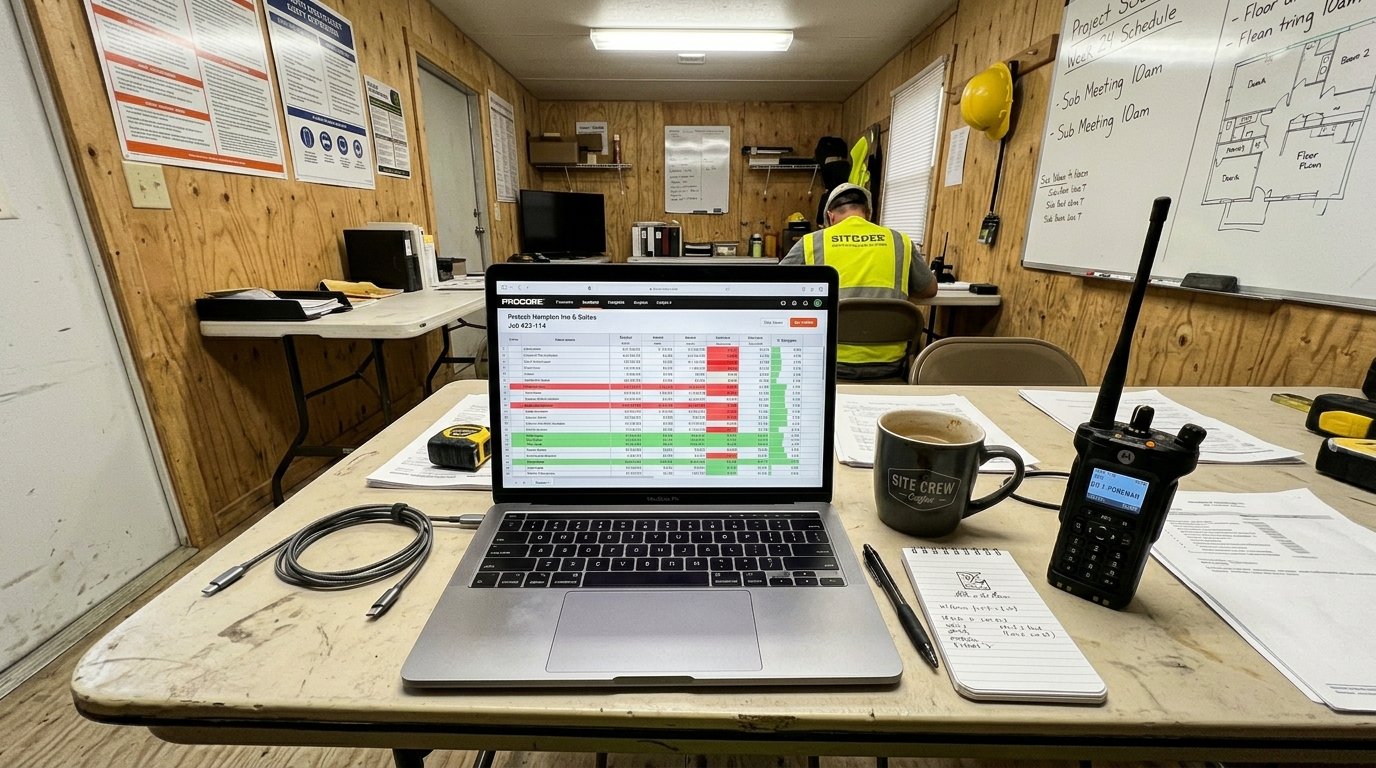
The point of all the controls, tools, and disciplines on this list is to feed a single view: where does each project stand right now against its budget?
“Right now” means today, not end-of-month. Three numbers matter at every cost code level:
Budget: What was estimated and approved
Committed: What’s been ordered or contracted (POs, subcontracts, change orders)
Actual: What’s been invoiced and paid
When committed plus actual exceeds budget at the cost code level, you have time to act: reallocate, negotiate, or value-engineer. When you only see this at month-end, you’re documenting a loss, not preventing one source.
This is where integration between your expense platform, ERP, and project management tool becomes non-negotiable. If coded field expenses don’t flow into the same budget view as POs and subcontract commitments, you’re operating on partial information.
A solid construction purchasing strategy playbook ties these threads together: committed cost tracking, vendor management, and expense coding into a unified financial picture.
Checklists for 2026 Construction Expense Audits
To ensure your management strategy is working, perform these three audits quarterly:
The Ghost Spend Audit: Compare fuel card GPS data against vehicle telematics to identify unauthorized weekend fill-ups.
The Rebate Reconciliation: Ensure GPO rebates are being applied back to specific job margins rather than lost in general overhead.
The Coding Accuracy Test: Select 10 random field expenses and verify if the cost code matches the actual material description on the receipt.
Putting It All Together
Construction expense management is not one tool, one policy, or one clever hack. It’s a stack of reinforcing decisions:
Buy better through collective purchasing, which drops the cost of everything that flows through your projects. GPO members routinely pay about 13% less for supplies, and the process to get started is straightforward.
Control at the point of spend with cards, fleet restrictions, and PO requirements that prevent leakage before it happens.
Code everything in real time so job cost data reflects reality, not a month-old best guess.
Automate where the math works but run the TCO numbers honestly, including the per-transaction fees that platforms don’t highlight in their marketing.
Monitor the three numbers (budget, committed, actual) at the cost code level, every day.
The contractors who execute this stack consistently don’t just save money. They bid more accurately, close projects profitably, and build the kind of financial visibility that earns trust with owners, lenders, and bonding companies.
For contractors looking to start with the highest-impact move, exploring how a buying group works is the fastest path to measurable savings. It doesn’t require new software, organizational restructuring, or a six-month implementation. It requires channeling spend through better-negotiated contracts, and the savings show up on the next invoice.
To see how strategic alliances translate into real contractor outcomes and how alliance benefits compound over time, those case studies are worth the read.
Frequently Asked Questions
What is construction expense management?
Construction expense management is the set of processes, controls, and tools that contractors use to track, code, control, and reduce every dollar spent on a project. It covers everything from T&E (travel and expense) and fuel to materials procurement, subcontractor payments, and overhead. The goal is accurate job costing, reduced waste, and reliable project-level profitability data.
What’s the fastest way to reduce construction expenses?
Joining a contractor buying group or GPO delivers the fastest hard-dollar savings. Members typically pay about 13% less on supplies, with additional annual rebates, and procurement cycle times can drop by more than 50% under cooperative contracts. This works immediately, without requiring new software or process overhauls.
How do I choose between expense management platforms for construction?
Start with your ERP. If you run Sage 300 CRE or Intacct, Sage Expense Management offers native integration that maps expenses to jobs and cost codes automatically. If you need an all-in-one card and AP solution, Ramp is strong but watch the 2026 ACH fee changes. For enterprise travel-heavy operations, Concur remains the default despite its UX limitations. In every case, test the integration to your job cost system before committing.
How do I stop fuel card fraud on construction projects?
Implement hard controls: unique PINs per driver, gallon caps per transaction, time-of-day restrictions, and vehicle ID matching. Restrict merchant category codes to block non-fuel purchases at gas stations. Audit weekly, not monthly. Practitioners on Reddit consistently report that fuel card abuse is a controls problem, not a technology problem.
What are cost codes and why do they matter for expense management?
Cost codes are the classification system that assigns every dollar to a specific project, phase, and expense category. They’re the backbone of job costing. When expenses aren’t coded correctly at the point of purchase (or coded at all), budget-to-actual reports become unreliable and margin erosion goes undetected until project closeout.
Do AP automation tools save money for construction companies?
It depends on volume and current process. If you process hundreds of invoices monthly and your staff spends significant time on manual data entry, automation can pay for itself. But with some platforms now charging $0.59 per ACH transaction on top of subscription fees, the math breaks down at lower volumes, especially if your bank already offers free bill pay. Run the total cost of ownership calculation before switching.
How does a PO-first policy improve construction expense management?
Requiring a purchase order before any non-T&E purchase creates committed cost visibility, meaning you can see what’s been ordered before the invoice arrives. The three-way match (PO, receiving confirmation, invoice) catches double billing, overcharges, and unauthorized purchases automatically. It’s the most effective single control against billing errors and vendor fraud.
What integrations matter most for construction expense tools?
The integrations that matter are the ones that push coded expenses into your job cost system without manual rekeying. For most contractors, that means Sage 300 CRE or Sage Intacct, Procore, or Viewpoint. If your expense tool can’t export by job, phase, and cost code to your ERP, it’s creating a data silo that hides margin problems instead of solving them.

Recent Comments